


- Enquiry2
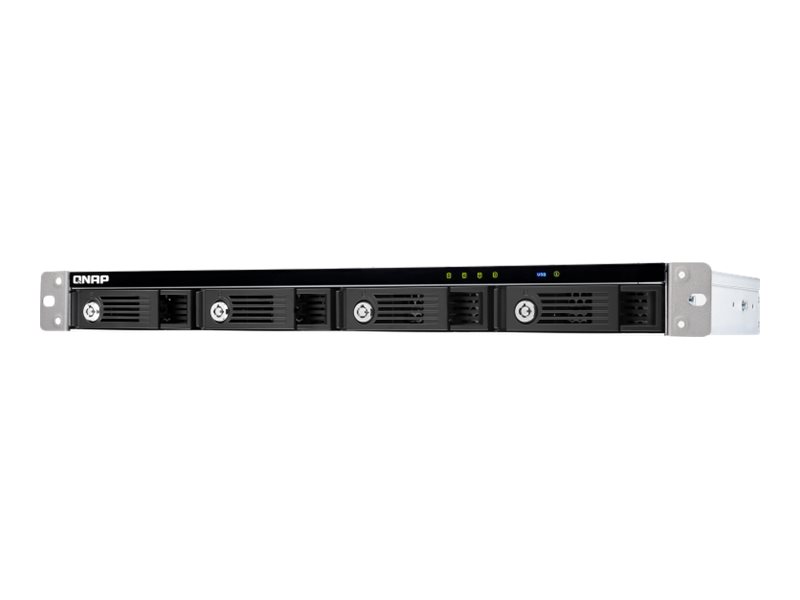
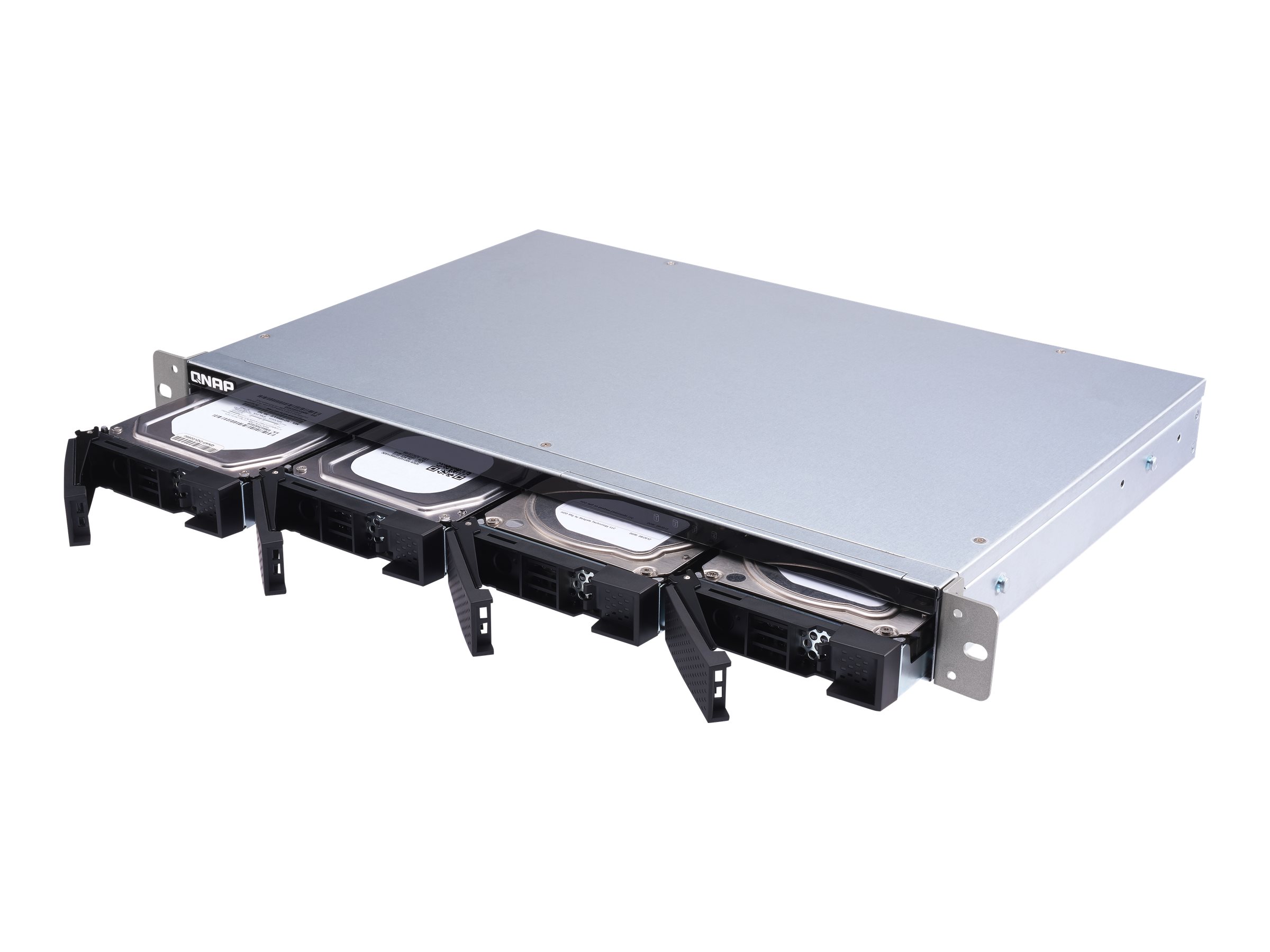
DescriptionTL-R400S Rackmount JBOD storage enclosure allows you to back up and expand your QNAP NAS, Windows and Ubuntu computers and servers. The TL-R400S features four 3.5-inch SATA 6Gb/s drive bays, the shallow rack design is perfect for installing the TL-R400S in a compact rack, or in areas with a lot of cabling.High performance of TL SATA JBODFlexible storage configuration and managementVersatile usage scenarios to meet storage expansion needsTL-R400S offers better performance than other USB and eSATA JBOD solutionsExpand your NAS capacityExternal storage for your NASExpand the storage space of your Windows and Ubuntu computers and serversHigh performance of TL SATA JBODThe TL SATA JBOD supports multi-lane SATA 6Gb/s transfer, and each SATA lane directly connects to a single SATA drive to help improve performance. With the 1-1 high-speed channel, the TL SATA JBOD delivers excellent transfer performance.Flexible storage configuration and managementThe TL-R400S provides software-controlled storage configuration for greater management flexibility. You can configure RAID and monitor JBOD enclosure and disk health with Storage and Snapshots when connected to a QTS or QTS hero NAS. Use the Storage and Snapshots Manager in QTS or QTS hero to configure the TL-R400S as a storage enclosure for your QNAP NAS. The NAS expansion storage mode supports various NAS functions, including storage pools and snapshots. With TL-R400S, you can easily expand storage capacity. The QNAP JBOD Manager is a desktop utility for monitoring the TL-R400S on Windows and Ubuntu computers. You can quickly obtain disk statuses, JBOD information and health, view fan-rotation speed, and check for firmware version updates.Versatile usage scenarios to meet storage expansion needsThe TL-R400S meets many storage expansion requirements for the home and office.TL-R400S offers better performance than other USB and eSATA JBOD solutionsThe TL-R400S features SFF-8088 (or SFF-8644) connectivity and multiple SATA 6Gb/s bays. This provides better sequential read performance and faster data-transfer speeds than existing USB and eSATA expansion enclosures, while also being a more economical option compared to a QNAP REXP SAS enclosure.Expand your NAS capacityThe TL-R400S provides an alternative method for users to expand their NAS storage capacity. By connecting the TL-R400S to their NAS and using Storage and Snapshots Manager in QTS or QTS hero, users can easily configure and manage their storage expansion. The TL-R400S supports a variety of QNAP NAS storage and file-management functions, allowing users to build storage pools, finding files with Qsirch, and organizing files with Qfiling.External storage for your NASYou can use the TL-R400S to expand your NAS storage. You can select disks to create storage pools for expanding your NAS capacity, or you can treat each disk as an individual external storage space and use it as a removable drive for greater flexibility. Regardless of the mode you use, you can always use Storage and Snapshots Manager in QTS or QTS hero to set up and manage your TL-R400S and use hard drive S.M.A.R.T. and Notification Center to check disk status anytime and anywhere.Expand the storage space of your Windows and Ubuntu computers and serversYou can use your TL-R400S with Windows and Ubuntu computers and servers to expand more storage space. You can set up the RAID configuration of your TL-R400S to further secure data protection. Moreover, you can also use the single-disk mode and format with exFAT file system for more convenient access and sharing of files between Windows and Ubuntu computers. You can obtain data protection by building a software RAID 0, RAID 1, and RAID 5 volume with native utility in your Windows and Ubuntu computers, and use the QNAP JBOD Manager to monitor the TL-R400S status information.Main SpecificationsProduct DescriptionQNAP TL-R400S – hard drive arrayDevice TypeHard drive arrayEnclosure TypeRack-mountable – 1UInterfaceSATA 6Gb/sInstalled Devices / Modules Qty0 (installed) / 4 (max)Supported DrivesSATA-600Storage ControllerSATA (SATA 6Gb/s) – RAID JBODHard DriveNo HDDOS RequiredMicrosoft Windows, Linux, QNAP QTS, QNAP QTS heroPowerAC 120/230 VExtended SpecificationsGeneralDevice TypeHard drive arrayEnclosure TypeRack-mountable – 1UChassisInstalled Devices / Modules Qty0Supported Devices / Modules Qty4Supported DrivesSATA-600StorageHDD Array External InterfaceSATA 6Gb/sStorage ControllerTypeSATAInterface TypeSATA 6Gb/sRAID LevelJBODHard DriveTypeNo HDDExpansion / ConnectivityExpansion Bays4 (total) / 4 (free) x hot-swap – 2.5″ / 3.5″ sharedInterfaces1 x SATA 6Gb/s – 26 pin 4x Mini MultiLane SAS (SFF-8088)System RequirementsOS RequiredMicrosoft Windows, Linux, QNAP QTS, QNAP QTS heroMiscellaneousFeaturesBuilt-in 2 cooling fans, security lock slot (cable lock sold separately)Cables Included1 x SFF-8088 to SFF-8088 SAS cableIncluded Accessories12 flathead screws (for 2.5″ HDD), 16 flathead screws (for 3.5″ HDD), QNAP QXP SATA Expansion Card, power cablePowerPower DeviceInternal power supplyVoltage RequiredAC 120/230 VPower Provided100 wattEnvironmental ParametersMin Operating Temperature0 °CMax Operating Temperature40 °CHumidity Range Operating5 – 95% (non-condensing)Sound Emission22.1 dBA